Multi-Sand Feed Strategies
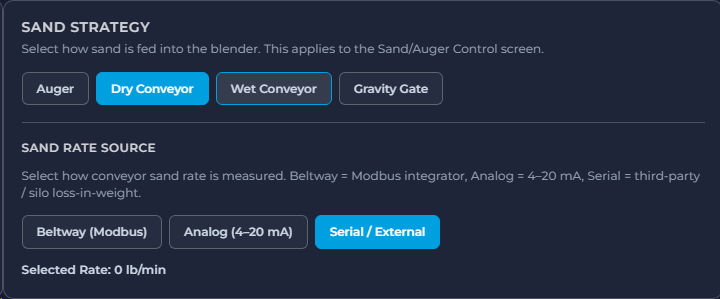
Configure auger, dry conveyor, wet conveyor, or gravity gate sand feed. Match sand rate source to the site—Beltway Modbus, analog 4–20 mA, or serial/external.
Standalone on-blender control application for frac operations. Select sand feed strategy, map customer-specific emergency shutdowns, and run from local HMI, remote data-van screens, or full schedule automation with safety stops.
Configure auger, dry conveyor, wet conveyor, or gravity gate sand feed. Match sand rate source to the site—Beltway Modbus, analog 4–20 mA, or serial/external.
Map tub overflow, pressure limits, alarms, flow stoppages, and control issues to Emergency Flush, Soft Stop, or Hard Stop—with customer-specific steps.
Operate from the blender local HMI, or take remote control from a laptop or mobile in the data van—same screens, clear control state.
Run unmanned with schedule automation, concentration ramping, and safety stops when risks are detected—without abandoning operator override.
One control application covers the sand hardware you bring to site. Select the feed strategy that applies to the Sand/Auger Control screen, then choose how sand rate is measured.
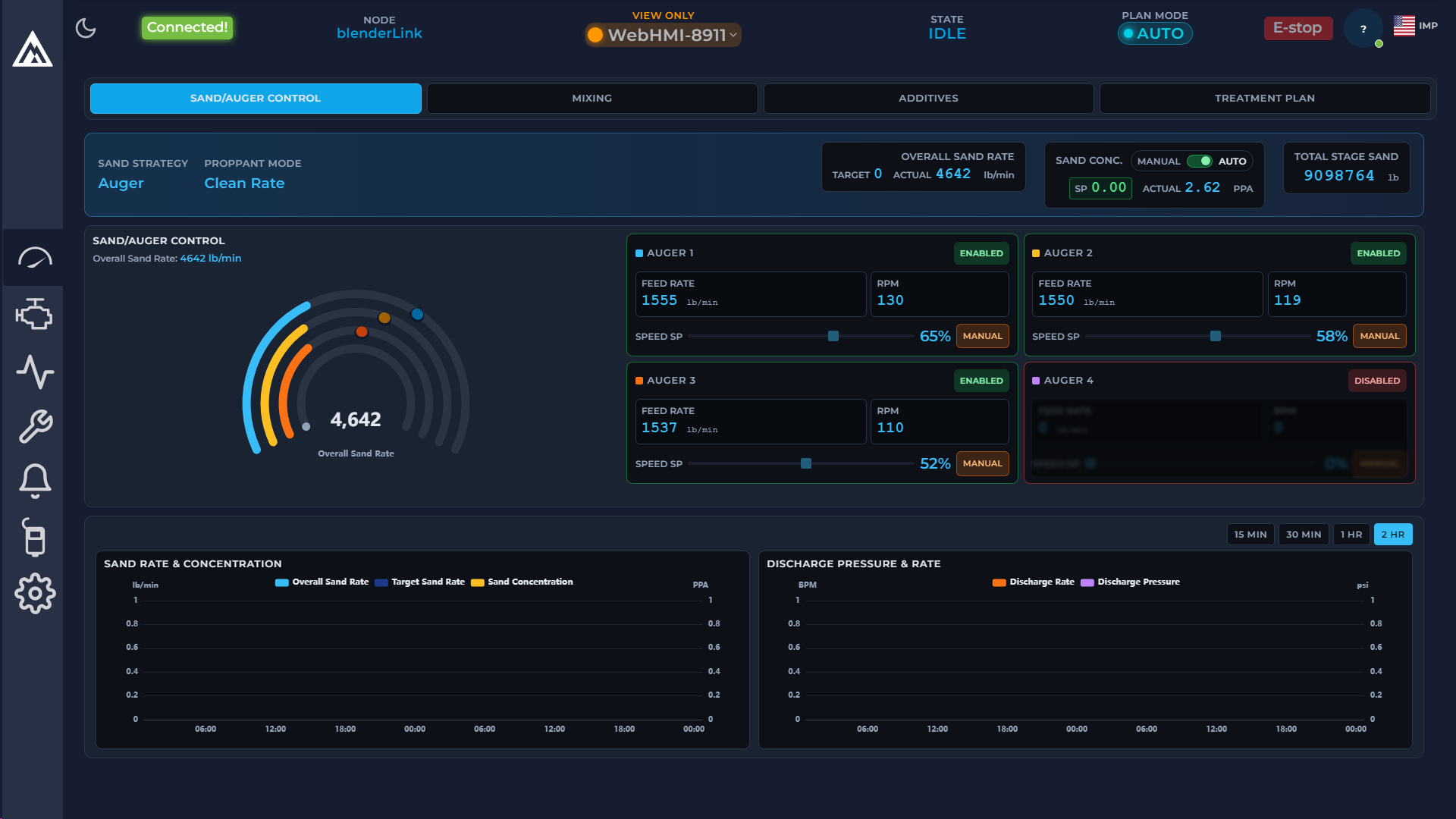
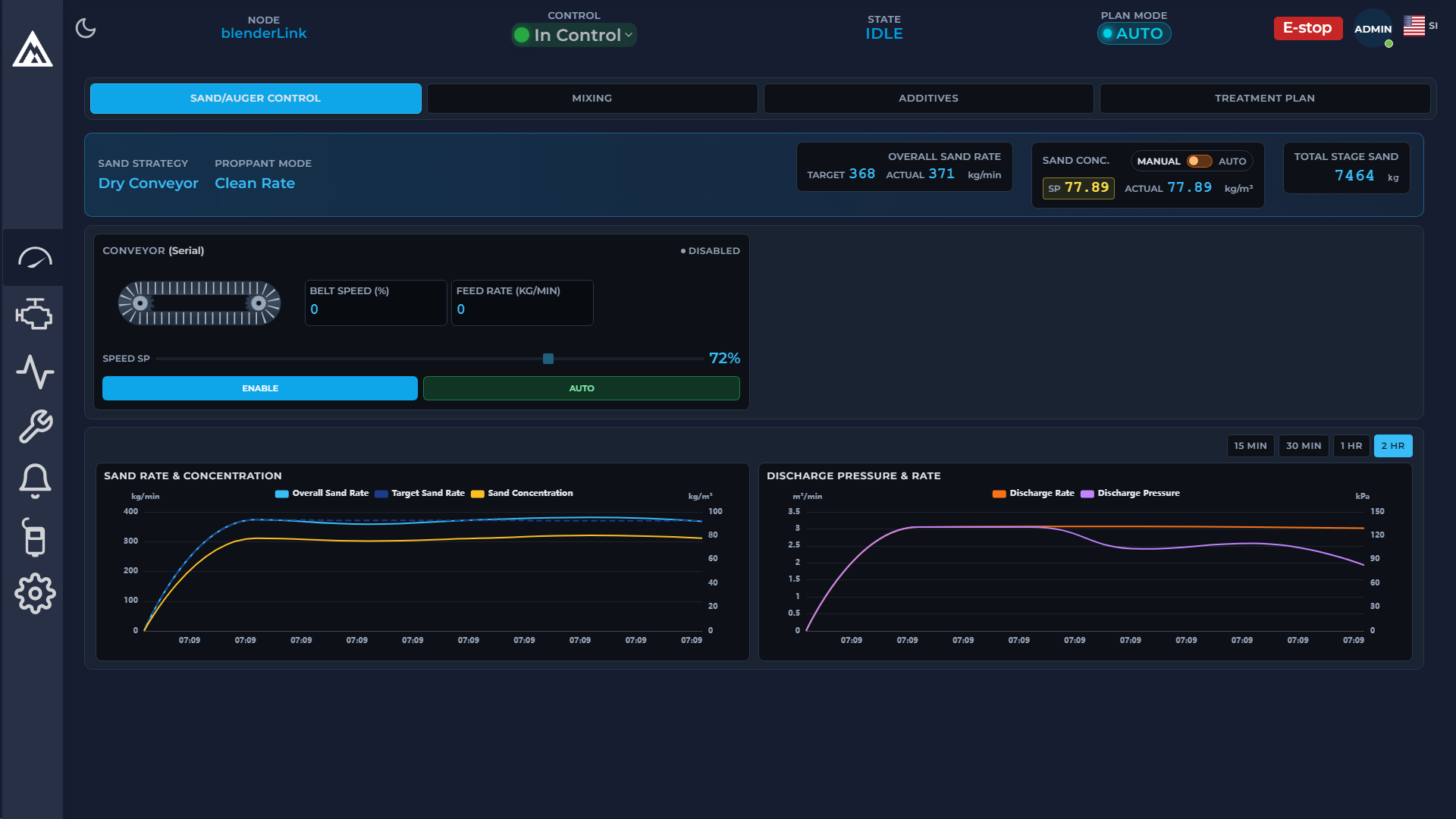
Live sand rate, concentration, and per-channel auger status—with strategy-specific views for conveyor-based feeds.
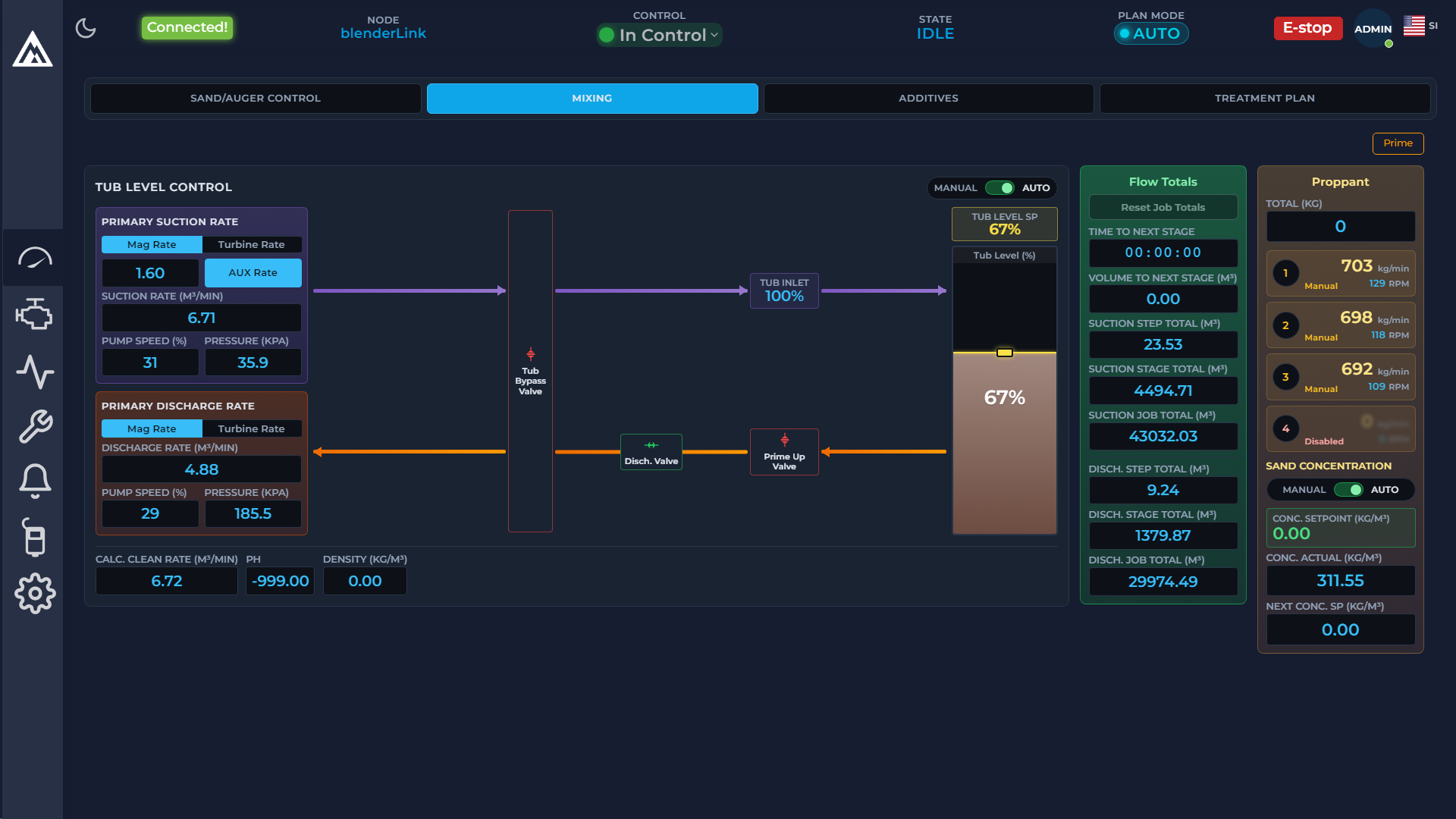
Maintain tub level while coordinating suction, discharge, and proppant feed. Auto or manual concentration with stage and job totals alongside the live schematic.
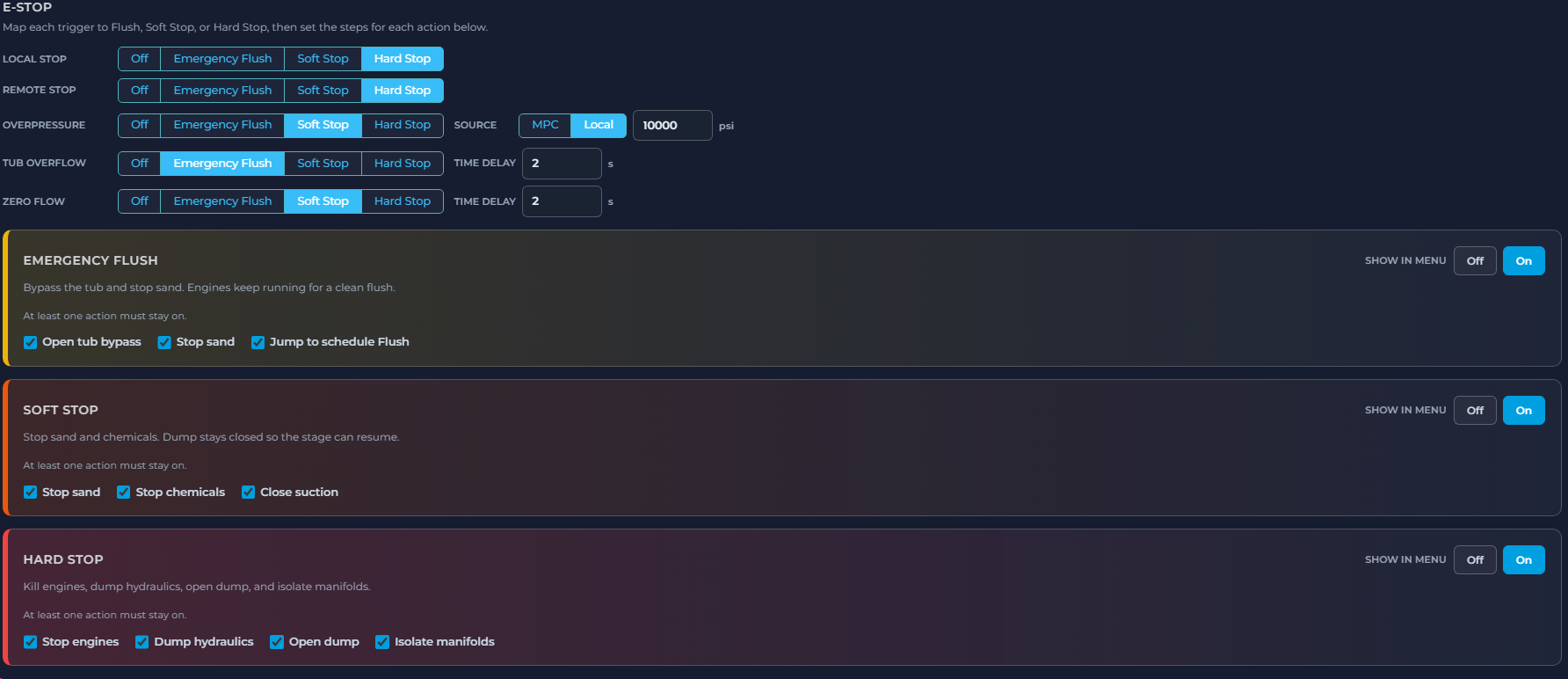
Customer-specific emergency logic—not a one-size-fits-all e-stop. Map each trigger to the response that fits your process, then define the steps for Flush, Soft Stop, and Hard Stop.
Bypass tub, stop sand, jump to flush
Stop sand & chemicals; stage can resume
Kill engines, dump, isolate
Same application—local at the blender, remote from the data van, or fully automated with schedule-driven ramping and safety stops.
Full control at the blender for manned operations—sand, mixing, additives, treatment plan, and e-stop within reach of the crew.
Run from a laptop or mobile in the data van. Connection and control state stay visible so handoff between local and remote stays clear.
Schedule automation with ramping and safety stops when risks are detected—suited to unmanned or lightly manned blender service.
Execute the treatment plan with stage progression, concentration targets, and safety-aware stops. For the deeper scheduling, sync, and job/well/stage story, see the companion page.
Blender scheduling & synchronization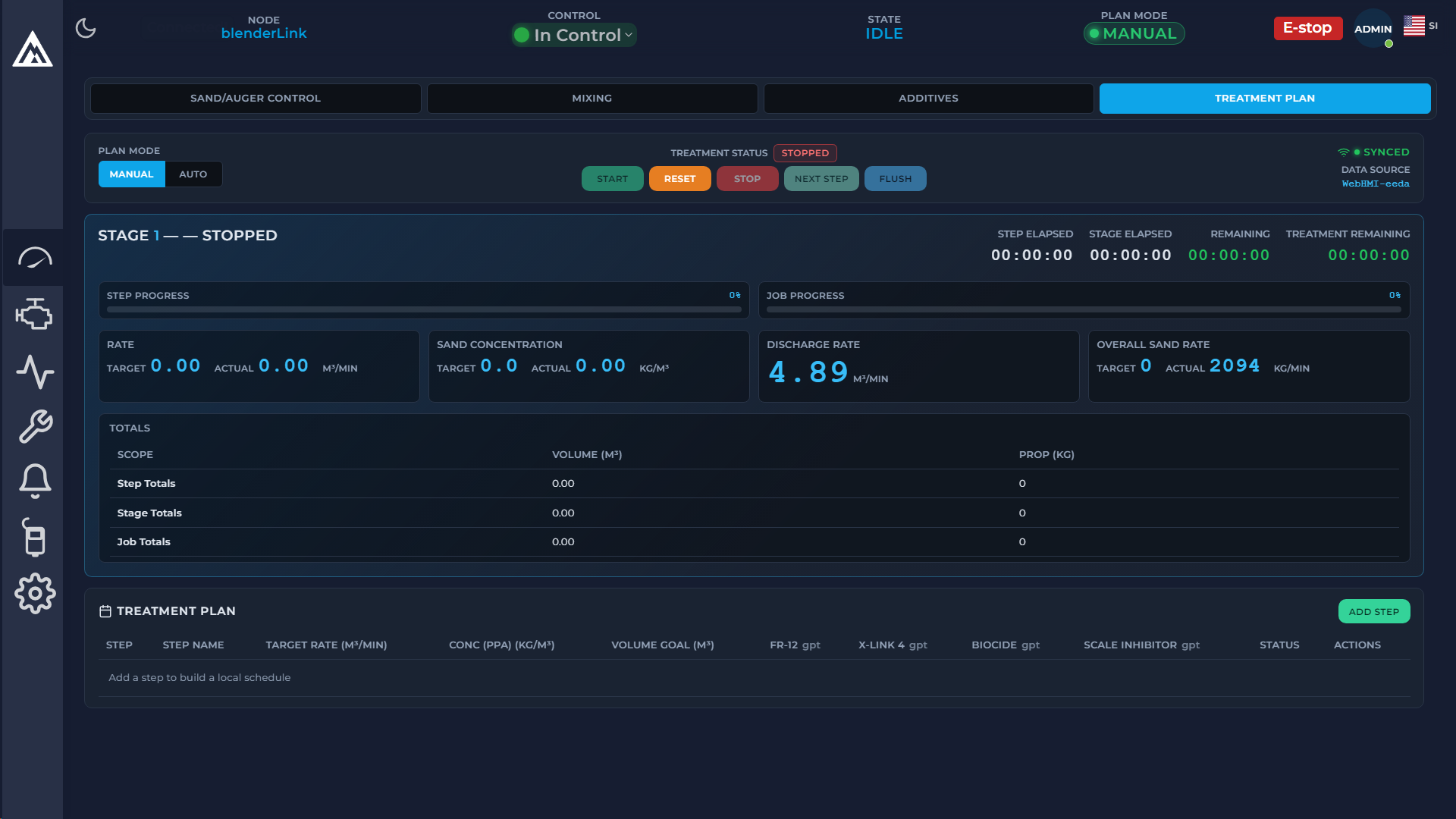
Multi-sand strategies, configurable ESD, and local / remote / automated operation—custom-built around the blender hardware and safety rules your crews already know.
Discuss Your Project