Many formats, one session
Detects CSV, Excel sheets, SQLite tables, MF4, LAS, WITSML XML, Parquet, and MATLAB—and lists multi-sheet Excel and multi-table SQLite as separate entries so nothing is buried.
Products/ Chart Bench
Engineers in instrumentation and control often sit on piles of data files with huge channel counts. Chart Bench is built for that job: a fast multi-file channel handler that detects many formats and shows a per-channel preview before you plot.
Drop CSV, multi-sheet Excel, multi-table SQLite, MF4, LAS, and more into one session. Sparkline previews make each channel clear at a glance—then drag onto charts, dual Y when scales disagree, and save complete sessions for one-click restore.
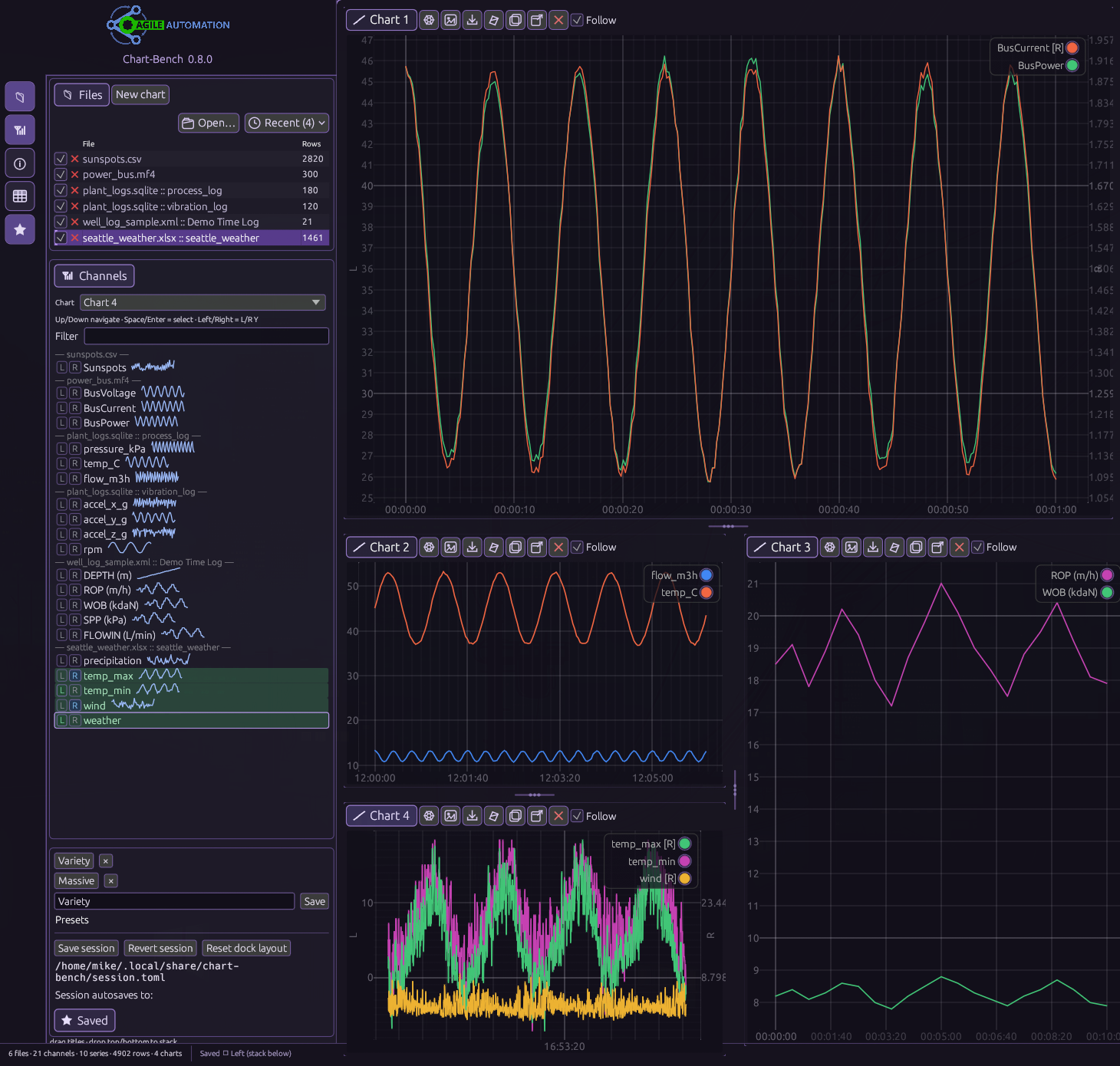
Multi-file, multi-chart workbench — formats detected automatically, channels previewed before you plot.
Built for instrumentation and control files with many files, many formats, and huge channel sets.
Detects CSV, Excel sheets, SQLite tables, MF4, LAS, WITSML XML, Parquet, and MATLAB—and lists multi-sheet Excel and multi-table SQLite as separate entries so nothing is buried.
Every channel shows a sparkline for immediate clarity. Filter the list, then decide what belongs on a chart before you plot.
Drag channels onto plots. Left / Right buttons (or arrow keys) assign dual Y when scales disagree.
Combine series from many files on the same charts—compare runs and overlays without juggling separate windows.
Files, charts, and axis assignments save together. Restore the whole workspace in one click next time.
Stack or side-by-side charts with nested tiles so related series stay visible in one session.
In action
See every sheet and table as it loads, preview each channel with a sparkline, then assign left or right Y and plot.
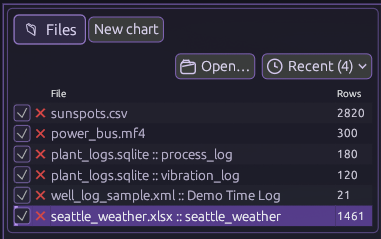
CSV, MF4, multi-table SQLite, WITSML XML, and Excel sheets show up as clear file entries with row counts—open the files you already have.
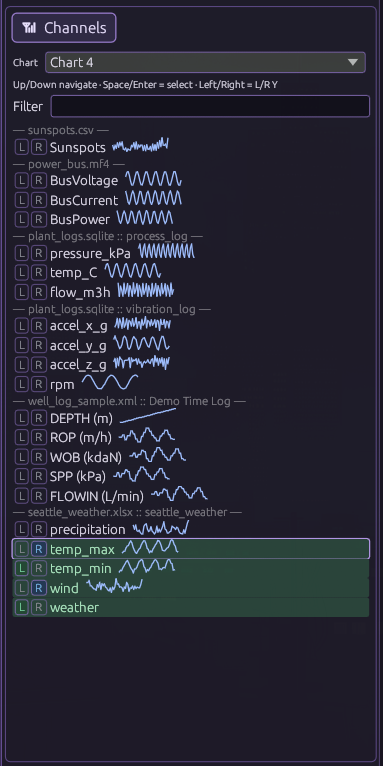
Per-channel sparklines plus L / R Y assignment and green selection so you see the shape of each series before it hits a chart.
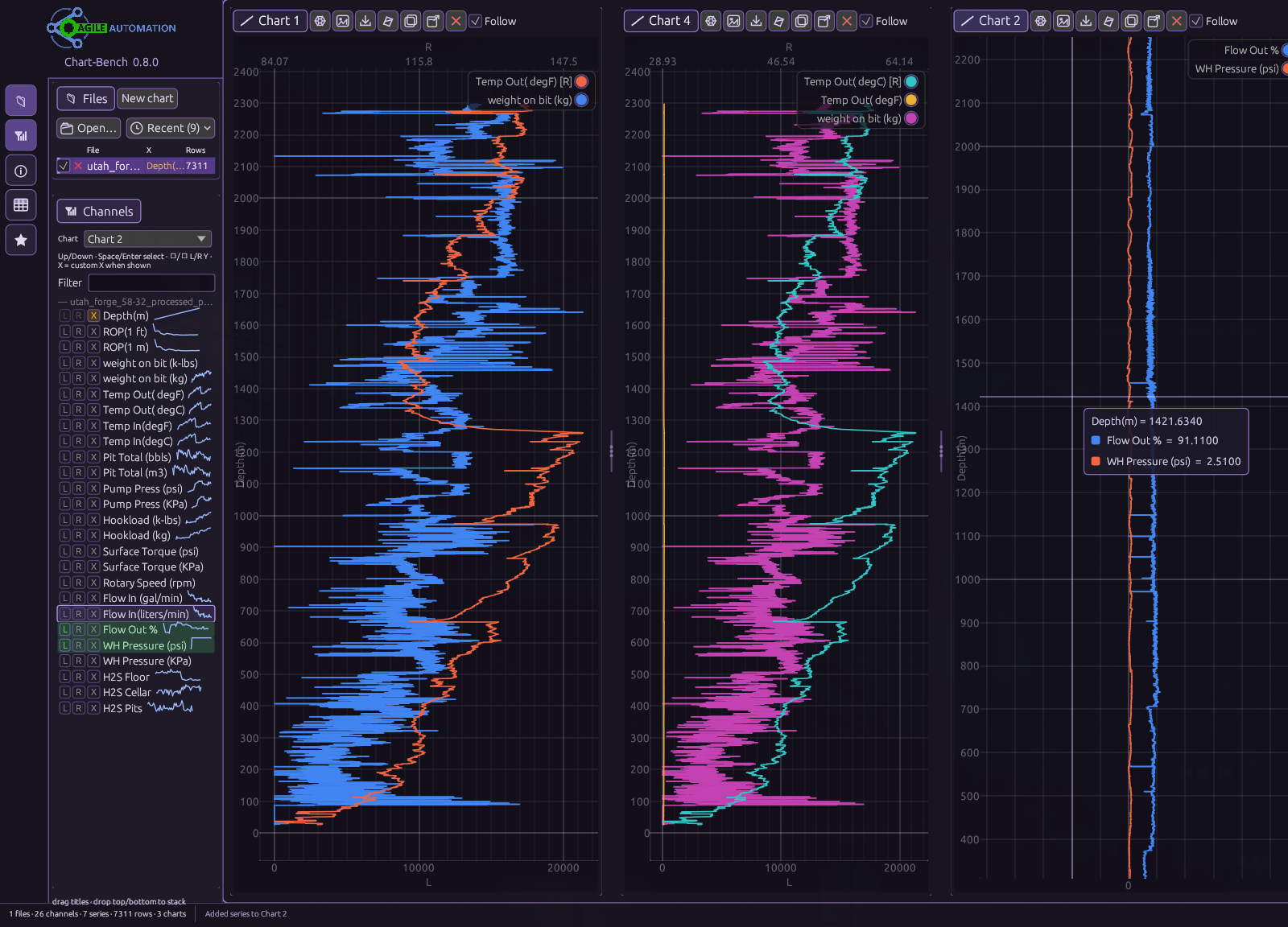
Flip the axes so depth runs vertically and your channels read across. Side-by-side charts keep temperature, weight on bit, flow, and pressure aligned for instrumentation and control depth profiles.
Core charting power for multi-file channel files.
Detects many file formats—including multi-sheet Excel and multi-table SQLite.
CSV / TSV, Excel (XLS/XLSX with per-sheet entries), Parquet, MATLAB .mat, MDF/MF4, LAS, WITSML wellLog XML, and SQLite (each table as its own file entry)—with timestamp autodetection where it helps.
Coming soon
Windows and Linux packages will be available here when Chart Bench ships.
Coming soonMulti-file channel charting for instrumentation and control files — download coming soon.